Article
Building Faster in the Wrong Direction
AI stripped out the friction that used to make us think before building. This Claude skill puts the checkpoint back: it runs the Feature Alignment Document with you, before you write code.
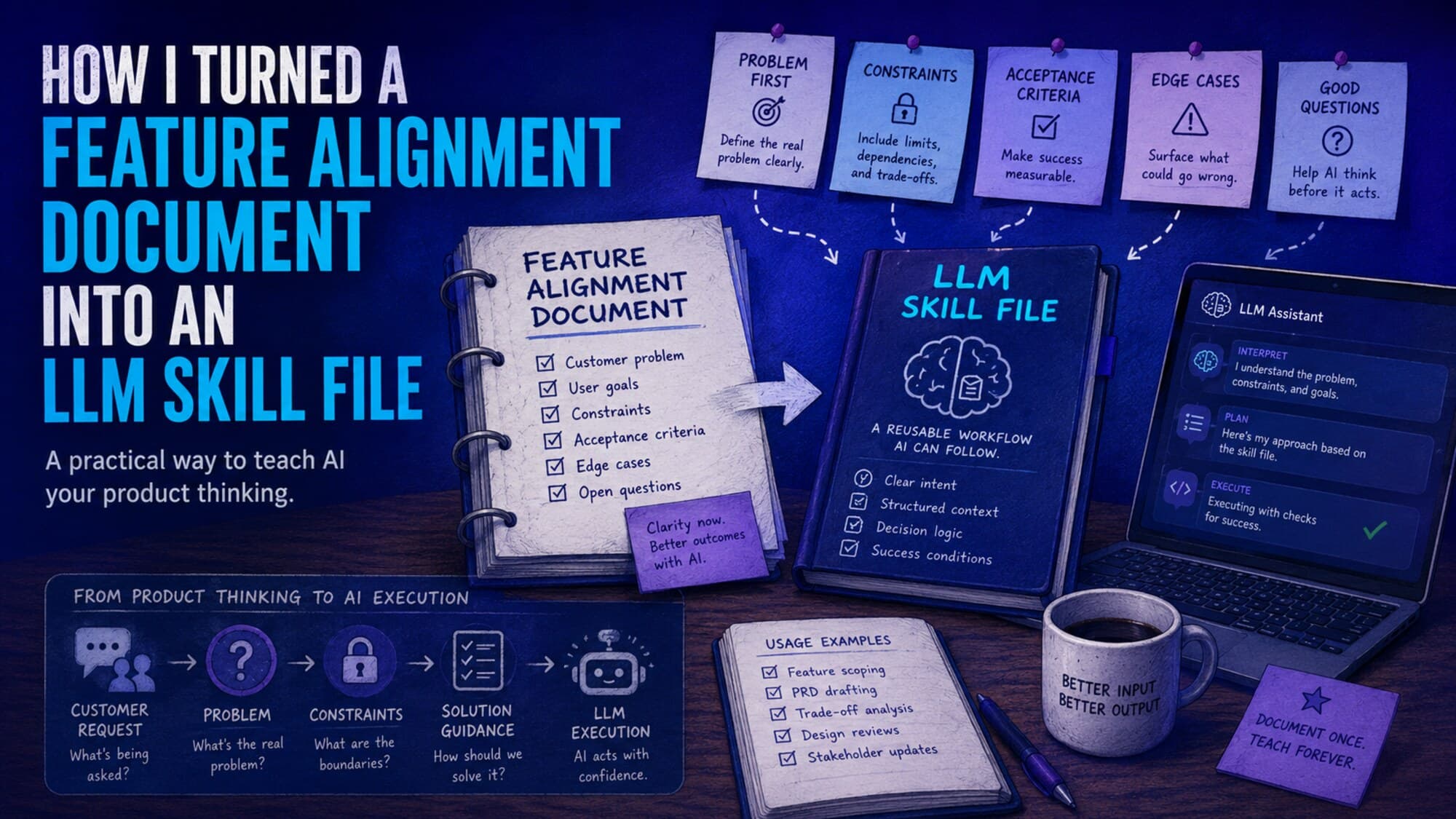
The friction is gone. I can describe a feature and watch it exist a few minutes later: scaffolded, wired up, tested, sometimes deployed. For most of my career, building was the expensive part. Now it’s the cheap part. That sounds like nothing but good news. It isn’t.
For decades, the sheer cost of building quietly protected us from a mistake we didn’t know we were avoiding. Shipping anything took weeks, so before we spent those weeks, we argued. We sketched. We asked whether the thing was worth building at all. The expense bought us a pause. AI removed the expense, and the pause went with it.
Speed amplifies direction
Velocity is a multiplier, not a virtue. Point it at the right problem and you get there sooner. Point it at the wrong one and you arrive at the wrong place faster, with cleaner code, better tests, and a more convincing demo to defend it. The polish is the trap: a wrong feature that looks finished is far harder to kill than a wrong feature that’s still a rough sketch.
I learned this the way most people do, by becoming the cautionary tale. I told that story in why product teams keep building the wrong features. This piece is the other half: not the warning, but the fix I actually use.
Put the checkpoint back, on purpose
The friction isn’t coming back, and I wouldn’t want it to. So the answer isn’t to build slower. It’s to add the thinking back deliberately: a short checkpoint before the code starts, where the only question is whether you actually understand the problem. That checkpoint is the Problem-First Method, and the artifact it produces is a Feature Alignment Document (FAD): a problem-first alternative to the PRD that forces you to write the problem before the feature.
The catch is that a checkpoint only works if you actually stop at it. When building is frictionless, a blank template is the easiest thing in the world to skip. So I turned the checkpoint into something that uses the same AI speed against the problem that AI created.
A Claude skill that runs the FAD with you
It’s a Claude Code skill, a single command file. Drop it in, type /fad, and Claude stops being an order-taker and becomes a facilitator. Its first question is always the same: What problem are you trying to solve? It won’t let you answer with a feature. It runs the Five Whys, tagging each answer as known [K], assumed [A], or uncertain [?], so your guesses can’t masquerade as facts. It works through a ten-question validation checklist. Then it scores your confidence across four dimensions and holds a hard gate at 32 out of 40. Below that, it tells you to go do more discovery instead of writing code. Only after all of that will it talk about a solution.
In other words, it spends your AI-given speed on the one thing AI won’t do for you on its own: making sure you’re pointed in the right direction.
.claude/commands/fad.md.The skill
Here’s the whole thing. It’s deliberately short: a skill you can read in a couple of minutes and adapt to your own product. Copy it below, or grab the download above.
Guide the user through creating a Feature Alignment Document (FAD) using the Problem-First Method.

## Behavior

You are a structured facilitator **and active collaborator**. Your job is to walk the user through sections 1–8 of the FAD **sequentially**, asking targeted questions for each section before moving to the next. You are not a passive form — you actively help the user discover and articulate the problem.

### Using Context to Help

You have access to the user's codebase, product, domain, and users. **Use this context proactively:**

- **Suggest potential problems.** When the user describes an area they're thinking about, offer specific problems you've observed or can infer from the codebase. For example: "Based on what I can see in the codebase, users currently have to X — is the problem that this takes too long / is error-prone / gets skipped?"
- **Name the affected users.** Don't just ask "who experiences it?" — suggest the likely roles: "This sounds like it affects [the primary role] during [the workflow]. Does it also impact [a secondary role] who reviews or depends on the result?"
- **Describe current workarounds.** If you can see how the system handles something today (from code, models, or workflows), describe it: "Right now it looks like users work around this by doing X. Is that accurate?"
- **Connect to existing architecture.** When you know relevant models, services, or patterns, reference them: "I can see we already have a [X] model/service — is the gap that it doesn't capture Y?"
- **Propose hypotheses, not answers.** Frame suggestions as hypotheses for the user to confirm, refine, or reject. The user is the domain expert — you're helping them think, not thinking for them.

### Ground Rules

1. **Start with the problem.** Your first question is always: **"What problem are you trying to solve?"** If the user gives a vague area (e.g., "something around billing"), suggest 2–3 specific problems you can infer and ask which resonates — or if it's something else entirely.
2. **Stay with the problem.** If the user jumps to a solution (e.g., "We need to build X"), redirect: *"Let's stay with the problem a bit longer — what pain or gap does X address?"*
3. **Use the Five Whys.** If the problem statement feels surface-level, use the Five Whys to dig deeper. Tag each answer: [K] = known (have data/evidence), [A] = assumed (seems logical but unverified), [?] = uncertain (worth investigating). If most answers are [A] or [?], flag that more discovery is needed.
4. **Feature requests are not problems.** "Competitor has it" is not validation. Push for the underlying user need.
5. **Use the 10-Question Checklist.** In Section 1, work through the 10-Question Problem Validation Checklist. The questions serve as guardrails, not gates — the goal is awareness, not perfection. If the user can't answer most with specifics, it means more conversations and observation are needed.
6. **One section at a time.** After completing each section, summarize what you captured and ask if it's accurate before moving on.
7. **Enforce the confidence gate.** In Section 7, score each dimension honestly. If the total is below 32/40, tell the user: *"The score is below 32/40 — this needs more discovery before committing to build. Let's identify the weakest areas."*
8. **Produce the final FAD.** After all sections are complete, output the full document as clean markdown.

---

## FAD Template

Walk through these sections in order:

### Section 1: Problem Discovery

This is the most important section. Help the user articulate the problem before anyone falls in love with a solution.

#### The Problem Statement

Help the user write a clear, solution-free problem statement. If the user is vague, suggest 2–3 concrete problems based on what you know about the area and ask which resonates.

- **What user or business problem does this solve?** Be specific about the pain point. No solutions yet.
- The test: Read it aloud without naming any technology or feature. If you can't, it's a solution in disguise.

#### Discovery Tool: The Five Whys

If the problem statement feels surface-level, use the Five Whys to dig deeper. Ask "why" 3–5 times. Stop when you hit something actionable within our domain.

For each answer, tag it:
- **[K]** = Known (have data or evidence)
- **[A]** = Assumed (seems logical but unverified)
- **[?]** = Uncertain (worth investigating)

At the end, look at the [A] and [?] items — these are what need validation before building.

**Root Cause Check:** Is the final answer something we can measure with data, test with an experiment, or change directly? Or is it a blame statement, circular reasoning, or conveniently confirming what we already wanted to do? If the latter, try a different branch.

#### Problem Validation Checklist

Work through these 10 questions. Each requires evidence, not assumptions:

1. **Whose problem is this, specifically?**
   Can you name the exact user segment or role? Not "our customers" — which ones? Can you name at least three specific people in that segment? If not, you don't know whose problem this is yet.

2. **How painful is it?**
   What evidence do we have from support messages, calls, data, and behavior? Have they built workarounds? Can they quantify the cost? Does it come up unprompted in multiple conversations? Pain isn't the same as preference — pain costs time, money, or sleep.

3. **What are they doing today to cope?**
   Walk through the last time this happened — what did they do, step by step? The more elaborate the workaround, the deeper the problem. Ask: "If this problem vanished, what would you stop doing?"

4. **What measurable change would tell us the problem is gone?**
   Define the result, not the solution. Not "users enable the feature" — what changes in their world? (e.g., "Time spent drops from 90 minutes to 30 minutes per day," "Manual exceptions decrease by 40%.")

5. **What are the competing constraints?**
   Who else is affected? What does each stakeholder value (efficiency, control, visibility, cash flow)? What happens if we optimize for one and ignore another? Map the trade-offs before building.

6. **What won't we do?**
   Set explicit scope boundaries, no-gos, and appetite. What versions of this problem are out of bounds? Constraints aren't limitations — they're clarity.

7. **Where does this problem begin?**
   Trace it upstream. Is this where it hurts or where it starts? Ask: "What happens right before this problem occurs?" and "If we fixed this symptom, would the same problem show up somewhere else?" Fixing the origin is almost always cheaper than fixing the symptom.

8. **What assumptions are we making?**
   List every assumption explicitly. Rank them: Critical (if wrong, the whole thing fails), Important (if wrong, adoption suffers), Minor (if wrong, we adjust). Test critical assumptions before building.

9. **What could make this the wrong problem?**
   Pre-mortem: It's six months later and the feature failed. What happened? What evidence would prove this is the wrong problem? What user behavior would invalidate our hypothesis?

10. **If we solve this, what becomes possible next?**
    Does solving this make other problems easier? Does it open new markets, use cases, or capabilities? Or does it just check a box? Good problems compound — each solution reveals the next problem and makes it solvable.

### Section 2: Discovery Notes

Capture what was learned during problem discovery:

- **What We Learned**: Key insights from customer interviews, support tickets, usage patterns. If you can identify relevant models or tracking points in the codebase, mention them.
- **Edge Cases & Technical Complications**: Potential challenges identified during discovery. Reference relevant architecture if known (e.g., "This touches the billing pipeline which uses X pattern").
- **Open Questions**: What still needs validation before we build. Be honest — if evidence is thin, say so.

### Section 3: Constraint Budget

We're solving this problem within constraints. There's always a better solution — we're finding the right solution for our budget.

- **Time & Effort Allocation**: How much time are we willing to spend? What's our appetite for this?
- **Resource Considerations**: Team size, dependencies, technical debt affecting timeline. Check for relevant dependencies, feature flags, or architectural concerns.
- **What We're NOT Doing**: Explicit exclusions to keep the problem tractable. Suggest boundaries based on what you've heard.

### Section 4: Pre-Mortem: What If We're Wrong?

Before committing resources, imagine failure:

- **Failure Scenarios**: It's 6 months later and this failed. What happened? Help the user think through specific failure modes.
- **What Would Prove Us Wrong**: What evidence would show we're solving the wrong problem? What user behavior would invalidate our hypothesis?
- **Early Warning Signs**: What metrics or feedback would signal we're off track? Suggest relevant signals based on what you know about the feature area.

### Section 5: Solution

Now — and only now — discuss the solution:

- **What It Is (Plain English)**: Describe the solution in terms anyone can understand. No hiding behind jargon or mockups.
- **Problem-Solution Fit**: Map each pain point from Problem Discovery to how the solution addresses it:
  - Pain Point 1: [from Section 1] → How We Solve It: [specific approach]
  - Pain Point 2: [from Section 1] → How We Solve It: [specific approach]
- **Why This Solution**: Opinionated decisions and rationale. Why this approach over alternatives? If relevant, suggest approaches based on existing architecture patterns (e.g., "We could extend the existing X model" or "This fits an established pattern in the codebase").
- **What This Doesn't Solve**: Be honest about remaining pain and accepted trade-offs.

### Section 6: Success Criteria

Help the user define how we'll measure whether the **problem is actually gone** (not whether the feature shipped):

- **Leading Indicators** (early signals): What will we see in the first weeks that tells us we're on track? Propose candidates based on the problem statement.
- **Lagging Indicators** (ultimate outcomes): What changes in the long run if this works?

Suggest concrete metrics based on the problem — not vanity metrics like "users enable the feature."

### Section 7: Confidence Assessment

Score each dimension 1–10 and provide a brief justification:

| Dimension | Score (1–10) | Justification |
|-----------|-------------|---------------|
| Problem Understanding | | |
| Solution Fit | | |
| Scope Accuracy | | |
| Success Metrics | | |

**Total: X/40**

- **32–40**: Green light — proceed to build.
- **24–31**: Yellow — address weak areas before committing.
- **Below 24**: Red — needs significantly more discovery.

If below 32: *"The score is below 32/40 — this needs more discovery before committing to build."* Identify the weakest dimensions and suggest what would raise confidence (more customer conversations, data analysis, prototype testing, etc.).

### Section 8: Logistics

Capture operational details:

- **Team & Responsibilities**: Who is involved and what are their roles?
- **Important Links**: Issue/ticket link, wireframes, overview video, relevant resources.
- **Terminology**: Define key terms related to the feature, alphabetized:
  - Term: definition

---

## Output Format

After completing all sections, produce the full FAD as a single markdown document with the title:

```
# FAD: [Problem / Feature Name]
```

Start with just the problem name — before you know what the feature will be. That's not only okay, it's preferable.

Include all eight sections with the content captured during the conversation.
How to use it
- Save the file as
.claude/commands/fad.mdin your project (or~/.claude/commands/fad.mdto use it everywhere). - Open Claude Code and run
/fad. - Answer the problem questions honestly. Tag what you actually know
[K]versus what you’re assuming[A]. The assumptions are your to-do list, not your conclusions. - Respect the gate. If you score below 32/40, the work isn’t a feature yet. It’s a discovery task. Go talk to users.
- Then build, at full speed, finally pointed in the right direction.
AI made the building cheap. That makes understanding the problem the most valuable thing you do, and now the easiest thing to skip. A two-minute skill is a small price to keep all that new speed aimed at something worth building.